 Module 1 · Port panel
APIs
Documented endpoints for your website, your app or other systems, with authentication, input validation and clear errors.
Examples of deliverables
- API for a mobile app
- Internal orders API
- API documentation
Engineering
Studio
By industry · 12
Veodar
Technology · Backend
Node.js runs JavaScript on the server. That is where the unseen pieces live: the API that answers your website or app, the connection between two systems that don't talk and the processes that work in the background. We develop that backend and leave it running on your infrastructure.
Often combined with
Situations
The job almost always starts from a manual task between two programs: someone exports from one, imports into the other and hopes not to slip.
The store and the ERP, the form and the CRM, the calendar and invoicing. A service in the middle translates, validates and delivers.
One place to request and save data, with permissions and predictable answers.
A payment confirmed, a parcel delivered, a document signed. The notification is received, checked and acted on once, even if it arrives twice.
Imports, reports, batch sends and syncs that run in a queue, with retries and without blocking anyone.

Services
Server pieces, almost always invisible, handed over with their documentation and their log.
Module 1 · Port panelDocumented endpoints for your website, your app or other systems, with authentication, input validation and clear errors.
Examples of deliverables
 Module 2 · Inbound line
Receiving notifications from payment gateways, stores and other services: the signature is checked, they are logged and processed once.
Examples of deliverables
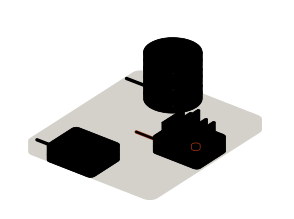 Module 3 · Three systems
Syncing data between tools that don't integrate out of the box, translating formats and logging every exchange.
Examples of deliverables
 Module 4 · Tray
Job queues, scheduled tasks and retries for whatever takes long or may fail.
Examples of deliverables
A working example
An illustrative example. Send an order notification and follow its path: receipt, validation, queue and the update of the destination system. Send an incomplete or repeated one too, to see what happens.
Send a notification
Operations log
Orders in the ERP (simulated)
None yet.
Everything happens in your browser: no server is listening and no system is really updated.
Integration
A service like this sits in the middle. On one side it receives; on the other it delivers; and in between it keeps a memory of what happened.
Where it comes from
Where it goes
How we work and what we deliver
Which systems are involved, which APIs they have and what is done by hand between them today.
What comes in, what goes out, in which format and what happens when the other side doesn't answer.
One complete end-to-end path in a test environment, with real or anonymized data.
Edge cases on purpose: duplicate message, system down, malformed data.
The API description, the environment variables, how to deploy and how to read the log.
Questions
Missing yours? Write it to info@veodar.com and we'll reply with a specific question, not a brochure.
Usually not. The integration relies on what each system already allows: an API, an export or a notification. If a system offers no route at all, we say so before starting.
The job stays in the queue and is retried with a longer wait each time. If it keeps failing, it is flagged with its reason so someone can decide. Nothing is lost silently.
Both work. Node.js fits well when there are many connections and notifications to handle, and when the team already works in JavaScript. Python is usually the better choice for processing data and producing reports. They often live side by side in one project.
On the infrastructure you choose: a server, containers or cloud functions, always in accounts in your name. It is decided by load, cost and who will maintain it.
Every operation is logged with its time, its origin and its result. The log lets you look up a specific order and see where it went and where it stopped.
Updated:
Related services
Other technologies
Get started
Which ones, what data goes from one to the other and what is done by hand today. If you don't know whether they have an API, we will look.
What helps us assess it
Before you write, see how we price a project or our solutions by department.
Cookies
We store your language and this choice so the site works. With your permission, we measure visits and speed anonymously, with no tracking cookies or advertising.
Cookies
Necessary
Your language, this choice and spam protection on the contact form.
Anonymous measurement
Page views and load times, in aggregate, through Vercel. No cookies, no tracking across sites.