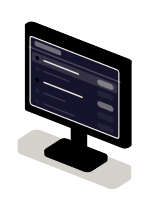
 Module 1 · List
Dashboards and internal tools
Tables, filters, charts and actions on your data, with each role's permissions.
Examples of deliverables
- Order dashboard
- Ticket board
- Customer view
Engineering
Studio
By industry · 12
Veodar
Technology · Interfaces
React is the library used to build the screens people work in: dashboards, search, long forms, lists that are filtered and edited. We develop those interfaces and connect them to your data, inside your website or as an application of their own.
Often combined with
Situations
React pays off when a screen isn't for reading but for doing: someone filters, edits, saves and expects the answer without a reload.
Orders, tickets or customers on one screen that filters, sorts and lets the task get done without leaving it.
Several steps, fields that depend on others, validation as you type and a draft that isn't lost when the tab closes.
Catalogs and lists that respond as you type and combine criteria without reloading.
Duplicated components, states that drift out of sync and bugs that are hard to reproduce. It is tidied up in parts, without stopping the product.
Services
From a single screen inside your website to a product's whole set of components.
Module 1 · ListTables, filters, charts and actions on your data, with each role's permissions.
Examples of deliverables
 Module 2 · State
Reusable, documented pieces such as buttons, tables, modals and forms, so every screen behaves the same way.
Examples of deliverables
 Module 3 · Filters
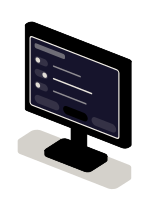
Steps, validation, conditional fields, saved drafts and error messages that say what is missing.
Examples of deliverables
 Module 4 · Detail
Loading, saving and updating data with its states in view: loading, saved, error and retry.
Examples of deliverables
A working example
An illustrative example with made-up data. Filter by status, open an order, change something and save. One of the saves fails on purpose, so you can see what the interface shows when that happens.
Filter by status
Orders ·
No orders with that status.
Order detail
Pick an order from the list to view and edit it.
A mockup that runs in your browser: there is no server or database behind it, and the orders are invented.
Integration
An interface stores nothing on its own. It needs somewhere to read from, somewhere to write to and a way to know who is in front of it.
Where it comes from
Where it goes
How we work and what we deliver
The current screens, the API available and the task the person repeats most often in a day.
Which screens and states are in: empty, loading, error and no permission count too.
One complete screen connected to real data, usable from start to finish.
The person who will use it tests it with their own cases: the odd record, the slow connection, the missing permission.
How to start the project, how to add a screen and what each component does.
Questions
Missing yours? Write it to info@veodar.com and we'll reply with a specific question, not a brochure.
It depends on what the screen does. To publish pages, a CMS is enough. React pays off when the person works in the screen: they filter, edit, save and expect an immediate answer.
Yes. We start by reading the code and running it locally. If some parts are worth tidying before anything is added, we point them out with a specific reason, not out of taste.
An API that lets us read and write what the screen shows. If there isn't one, it can be built; that is separate work, best quoted on its own.
It is built to be used with a keyboard and a screen reader, with visible focus, labels and enough contrast. We check that during development, not at the end.
Updated:
Other technologies
Get started
The task done on it, where the data comes from and who will use it. That tells us where to start.
What helps us assess it
Before you write, see how we price a project or our solutions by department.
Cookies
We store your language and this choice so the site works. With your permission, we measure visits and speed anonymously, with no tracking cookies or advertising.
Cookies
Necessary
Your language, this choice and spam protection on the contact form.
Anonymous measurement
Page views and load times, in aggregate, through Vercel. No cookies, no tracking across sites.