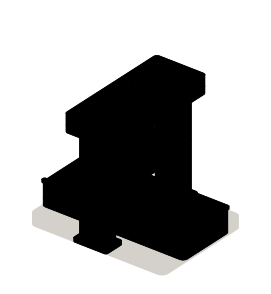
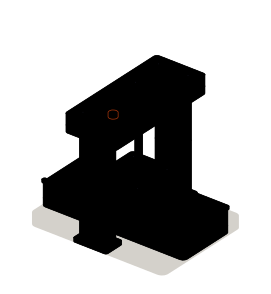
 Module 1 · Head
Company and content sites
The design turned into components, one template per type of page and a site your team updates without asking for help.
Examples of deliverables
- Company website
- Blog or resource center
- Product documentation
Engineering
Studio
By industry · 12
Veodar
Technology · Web framework
Astro is a framework for websites where content comes first: company sites, catalogs, documentation, blogs. It delivers pages already built and loads JavaScript only where interaction is needed. We develop the site, connect it to your content management system and migrate the one you have.
Often combined with
Situations
Astro fits when a site is read more than it is used: many pages, content that changes and a team that wants to publish without depending on anyone.
Every change goes through someone technical, or the site is slow to load. Content is edited in a CMS and the pages are served already built.
Hundreds of products or services with the same structure. The pages come from your data, be it a CMS, a spreadsheet or an API, and are not laid out one by one.
The current site has fallen behind, but it holds content and traffic you can't lose. It is moved with its routes and redirects reviewed.
A search box, a filter or a form inside a page that is otherwise content. It is added as an isolated piece, without turning the whole site into an application.
Services
The job can be a new site, the move of an existing one, or both at once.
Module 1 · HeadThe design turned into components, one template per type of page and a site your team updates without asking for help.
Examples of deliverables
 Module 2 · Tray
Astro reads content from WordPress, from another CMS or from files in the repository, and rebuilds the pages when something changes.
Examples of deliverables
 Module 3 · Output
An inventory of content and URLs, a redirect map, the move itself and a page-by-page check before the domain switches.
Examples of deliverables
 Module 4 · Side module
Images at their real size, fonts that don't make the page jump and JavaScript only in the components that need it.
Examples of deliverables
A working example
An illustrative example. Change the title or the text in the CMS on the left and publish: you will see the steps the change takes to reach the page.
From the edit to the page
What a visitor sees
Summer opening hours
From July 1 to August 31 we open from 8 a.m. to 3 p.m.
The page shows the latest published version.
The CMS and the publishing step are simulated in your browser. In a real project, publishing notifies the server, which rebuilds the affected pages.
Integration
Astro doesn't store content: it reads it from wherever it already is and turns it into pages. So the first thing to know is where each piece comes from.
Where it comes from
Where it goes
How we work and what we deliver
An inventory of the current site: content, URLs, forms and integrations.
Which pages and templates are in, where the content comes from and what is migrated as is or rewritten.
One complete template with real content, published at a test address.
Your team edits for real on the test version, and routes and redirects are checked before the switch.
How to edit, how to publish, how to add a type of page and what to do if a publish fails.
Questions
Missing yours? Write it to info@veodar.com and we'll reply with a specific question, not a brochure.
For the content side, yes: catalog, product pages and informational pages. Anything that needs a user session, a cart or live data needs a server; Astro can render those pages on demand or live alongside a separate application. That is decided when the scope is defined.
Yes. WordPress can stay as the CMS while Astro takes care of showing the pages. The plugins that depend on the current theme need reviewing, because they will stop rendering on the public site.
Nothing that was inventoried. The risk is in what nobody remembered: a URL with links pointing at it, a form wired to another system, a measurement script. That is why a migration means reviewing content, routes and integrations before moving anything, and checking it all afterwards.
Astro makes it easier for pages to load fast and reach the search engine complete, which is a good starting point. Rankings also depend on content, structure and links; no framework decides them on its own.
Your team. Publishing is left automated: you edit in the CMS or in the repository and the site rebuilds. The guide explains the process and what to do if something fails.
Updated:
Related services
Other technologies
Get started
If it exists, its address is enough. If not, the kind of content it will hold and who will maintain it.
What helps us assess it
Before you write, see how we price a project or our solutions by department.
Cookies
We store your language and this choice so the site works. With your permission, we measure visits and speed anonymously, with no tracking cookies or advertising.
Cookies
Necessary
Your language, this choice and spam protection on the contact form.
Anonymous measurement
Page views and load times, in aggregate, through Vercel. No cookies, no tracking across sites.