Skip to content

Technology · Rust in the browser

Rust in the browser with WebAssembly

WebAssembly is a format that lets the browser run code written in languages such as Rust, at a speed close to that of an installed program and inside a box it cannot get out of. It is used to bring to the web a calculation a server does today, to share one core between the web and the desktop, and to let third parties extend your product without risk.

Often combined with

Fig. 01Capsule pressappRUST → WASMONE CAPSULE · THREE DOCKSLooping
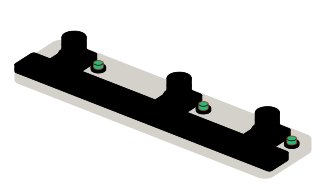
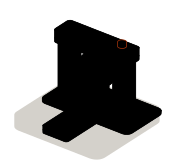
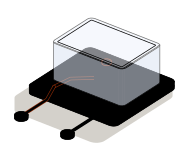
The Rust core is sealed in a capsule and the same capsule fits three docks: the web page, the desktop app and the server. In its glass box it has only two ports.

Situations

What you can solve with WebAssembly

WebAssembly pays off when a web page has to do serious work by itself, or when the same code has to give the same result in several places.

  • A calculation that travels to the server today

    Complex quotes, validations, processing of images or large files. Done in the browser it answers instantly, works offline and the data does not leave the machine.

  • The same rule in three programs

    The website, the desktop app and the server calculate the same thing, each with its own code, and sometimes they disagree. A single Rust core, compiled for all three, always gives the same result.

  • A desktop program you want on the web

    A calculation engine or a viewer written in C, C++ or Rust that forces people to install something today. Compiled to WebAssembly, it opens with a link.

  • Extensions written by others

    Customers or partners who want to add their own rules to your product. Their code runs isolated, with access only to what you give it, and cannot bring down the rest.

The capsule: the same sealed module, wherever it goes

What to check before starting

  • Which calculation or which program is to be brought to the browser and how big it is
  • Which browsers and machines it has to work on
  • Which data goes in and out, and whether it may leave the machine
  • Whether that code already exists, and in which language

Services

What we build with WebAssembly

Four kinds of job. In all of them the module is a piece with no window: what changes is where it is placed.

  • Module 1 · Browser window

    Computing and processing in the browser

    What a server does today, or what the page could not do, run on the machine of whoever uses it: no network waits and no sending the data.

    Examples of deliverables

    • Quote builder with complex rules
    • Image or PDF processing
    • Validating files before upload
  • Module 2 · Three docks

    One core for web, desktop and server

    The business rules written once in Rust and compiled for each place they are needed, with the same tests for all of them.

    Examples of deliverables

    • Shared pricing engine
    • Identical validation on web and server
    • Library for web and desktop app
  • Module 3 · Capsule press

    Bringing an existing program to the web

    An engine written in C, C++ or Rust, compiled to WebAssembly and wrapped in a web interface, without rewriting what is already proven.

    Examples of deliverables

    • Viewer for a proprietary format
    • Legacy calculation engine
    • Simulator that is installed today
  • Module 4 · Glass box

    Isolated extensions

    A plugin system for your product: third-party code runs in its box, with time and memory limits and access only to what it is granted.

    Examples of deliverables

    • Rules written by the customer
    • Third-party plugins
    • Custom functions per account

A working example

A validation that never leaves your browser

Working example. Type a Spanish tax ID (NIF) and press check: the letter is calculated by a WebAssembly module loaded in this page. No request is made to any server.

Working example · sample data

Made-up samples

Result

Type a NIF or pick a sample.

The module

Loading the module…

The module in this example is real WebAssembly, but minimal: a few dozen hand-written bytes that calculate a remainder. On a real job the module is compiled from Rust and does a good deal more. The sample IDs are made up.

Integration

How it fits with your systems

A WebAssembly module is a piece with no window: someone gives it data and collects the result. What changes from one place to another is who hosts it.

Where it comes from

  • Code in C or C++an engine that already exists
  • User datafiles and forms
WebAssemblyWebAssembly modulethe same one everywhere

Where it goes

Dependencies worth checking

  • How big the module is and how long it takes to load the first time
  • Which parts need the browser, screen or files, and how they are connected
  • Whether your users’ browsers support what the module uses
  • Which libraries in the original code cannot be compiled as they are

How we work and what we deliver

How we work on a WebAssembly job

  1. 01

    Initial review

    We look at the calculation or the program, which language it is in, how big it is and where it has to run.

  2. 02

    Scope

    We write down what goes into the module, which data crosses the boundary and what the result is compared against.

  3. 03

    First release

    The module running in a test page with real data, next to the result of the original.

  4. 04

    Validation

    You test it on the browsers and machines your customers use, the most modest ones too.

  5. 05

    Documentation

    How it is compiled, how it is loaded from the web and which tests make sure it gives the same everywhere.

What you get when the job closes

  • The code of the core and of the module in your repository
  • The compiled module and the package to use it from the web
  • The tests that compare results across platforms
  • The list of what is left out, and why

Questions

Questions about WebAssembly

Missing yours? Write it to info@veodar.com and we'll reply with a specific question, not a brochure.

Does WebAssembly replace JavaScript?

No. The page is still HTML, CSS and JavaScript; WebAssembly takes care of the calculation part and JavaScript connects it to the screen. For a normal website it is not needed: it pays off when there is heavy work or code that already exists in another language.

Does it work in every browser?

Yes in current desktop and mobile ones, and it has for years. Some recent features reach some browsers before others, so we check what the module needs against the browsers your users have.

Is it safe to run code like this on the user’s machine?

The module runs in the same isolated box as the rest of the page: it sees no files, network or foreign memory except what is passed to it explicitly. That is also the reason it is useful for running third-party extensions.

Is it as fast as an installed program?

Close, for pure calculation. What counts most in practice is the size of the module, which has to be downloaded the first time, and the cost of passing data between JavaScript and the module. Both are measured and designed for.

Is it only useful in the browser?

No. The same module can run on a server, in a desktop app or at the edge of a delivery network. That is why it is used for sharing rules: written once and run wherever it is needed.

What if my code is in C++ and not in Rust?

It can be compiled to WebAssembly as well. We work mostly with Rust, but an engine in C or C++ that already works does not have to be rewritten: it is compiled, wrapped and tested against the original.

Updated:

Other technologies

What it is combined with

All technologies
  • Rust developmentApplications, services and modules that cannot fail or run slow. We write the core of your product in Rust, or the piece that is holding it back today.
  • JavaScript programmingCalculators, filters, validation and interactions for your website. New features and problem-solving in the code you already have.
  • Desktop apps with TauriApplications for Windows, macOS and Linux with a web interface and a Rust core: light installers and scoped permissions. New, or migrated from Electron.

Get started

Tell us which calculation you want to bring closer to the user.

Knowing what it does, where it runs today and which language it is in is enough for a first answer.

What helps us assess it

  • What it calculates or processes and with which data
  • Where it runs today
  • Which language it is written in, if it exists
  • Which browsers and machines it must work on

Before you write, see how we price a project or our solutions by department.

Fig. 07Morse keyH · E · L · L · O