Skip to content

Technology · Desktop with web technology

Desktop app development with Electron

Electron packages a web application with its own browser and Node.js, and turns it into a desktop program for Windows, macOS and Linux. Many applications in use today are built on it. We maintain and extend Electron apps, review their security and resource use, and migrate them to Tauri when it pays off.

Often combined with

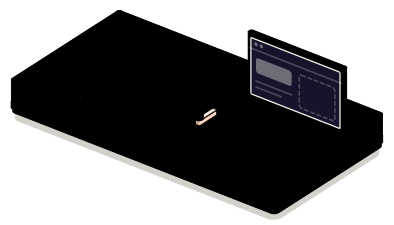
Fig. 01Case with its own engineappSaveadd-onONLY THESEsave · printMAIN · NODEWINDOW · WEBAPP + ENGINEAPPMAIN · BRIDGE · WINDOWLooping
The application travels with its engine inside: on one side the process that touches the system, on the other the window. Between them, a narrow bridge with a barrier lets through only what was declared.

Situations

What you can solve in an Electron app

It almost always starts from an application that already exists and works. The job is to keep it working well: safer, lighter, or with what it is missing.

  • An app nobody dares to update

    It got stuck on an old version of Electron and every upgrade breaks something. It is brought up to date in stages, with tests that flag what changes.

  • An app that is heavy and slow

    Slow startup, a lot of memory and a huge installer. We measure where the time goes and lighten what can be lightened before considering anything more drastic.

  • An interface with too much power

    In old apps the window can read files and run programs directly. If it loads outside content, that is a risk. What is seen gets separated from what touches the system.

  • A feature that needs the machine

    Printing, reading a device, integrating with the system or working offline. It is added as a native module, in Rust when that suits, without redoing the application.

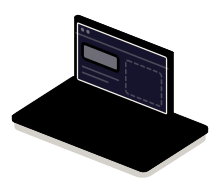
The open case: the engine on one side, the window on the other

What to check before starting

  • Which version of Electron it uses and when it was last updated
  • Which native modules and which dependencies it has
  • Whether the window loads remote content or only its own
  • How it is packaged, signed and updated today

Services

What we build in Electron

Four kinds of job. They tend to come in this order: first bring the app up to date, then decide whether it stays where it is.

  • Module 1 · Window

    Maintenance and new features

    Upgrading Electron in stages, fixing bugs and adding screens or features to the application your customers already use.

    Examples of deliverables

    • Electron upgrade in stages
    • New screen or feature
    • Fix for an elusive bug
  • Module 2 · Engine room

    Performance and native modules

    Measuring startup and resource use, heavy work moved out of the window and native modules, written in Rust when speed or talking to a device is needed.

    Examples of deliverables

    • Faster startup
    • Native module in Rust
    • Heavy work in the background
  • Module 3 · Bridge

    Security review

    Isolating the window, a bridge with the only functions it needs, a content policy and a dependency review, with a report of what was found.

    Examples of deliverables

    • Window isolation
    • Bridge with scoped functions
    • Report of risks and fixes
  • Module 4 · Shipping crate

    Migration to Tauri

    Moving the application to Tauri while keeping the interface: the Node.js part is rewritten in Rust and the installer slims down. It is done in parts, with the two versions comparable.

    Examples of deliverables

    • Feasibility study
    • Screen-by-screen migration
    • Both versions side by side

A working example

Hardening a legacy app

Simulated demonstration. The window of an old app loads a third-party plugin that attempts three things. Switch the protections on one by one and launch it again to see what it can no longer do.

Simulated demo · sample data

Order viewer · legacy version
  • Order 0141 · ready
  • Order 0142 · out for delivery
  • Order 0143 · pending

Third-party add-on

Code you did not write, loaded inside the window.

Window open

Protections on the window

What the add-on tries

  1. Read a file on the machine
  2. Use the internals of the bridge
  3. Take the window to another website

Not run yet.

None of this runs on your machine: the window, the plugin and its attempts are simulated in your browser. The three protections exist in Electron with those effects and are the first thing we review in a legacy app.

Integration

How it fits with your systems

An Electron app has two halves that should not be mixed: the window, which is a web page, and the main process, which is the one that touches the system.

Where it comes from

ElectronDesktop app in Electronweb window and main process

Where it goes

Dependencies worth checking

  • Which dependencies are unmaintained or have security advisories
  • Which native modules have to be recompiled on every version upgrade
  • Which certificates and which update service are used
  • Which part of the code depends on Node functions inside the window

How we work and what we deliver

How we work on an Electron job

  1. 01

    Initial review

    We look at the app: Electron version, dependencies, how it is packaged and what the window can do.

  2. 02

    Scope

    We write down what gets updated, what gets fixed and in which order, and what is left as it is.

  3. 03

    First release

    An installable version with the first block of changes and the tests that cover them.

  4. 04

    Validation

    You test it on your users’ machines, with their data and their devices, before publishing it to everyone.

  5. 05

    Documentation

    The state the app is left in, what is worth watching and how to upgrade the version next time.

What you get when the job closes

  • The updated code in your repository
  • Signed installers for each system
  • The security and performance report
  • The list of what is left out, and why

Questions

Questions about Electron

Missing yours? Write it to info@veodar.com and we'll reply with a specific question, not a brochure.

Does Electron still make sense?

Yes. It is mature, has a huge ecosystem and gives the same result on all three systems because it carries its own engine. Its price is weight and resource use. For an app that already exists, maintaining it is usually the sensible thing; for a new one, we compare with Tauri before deciding.

When does migrating to Tauri pay off?

When installer size or memory are a real problem for your users, or when the app needs a faster or safer core. It does not pay off if it depends heavily on Node modules with no equivalent, or if what exists works and hardly changes.

Is an Electron app insecure?

Not for being one. The risk lies in old configurations that give the window direct access to the system and in dependencies left without updates. With the window isolated, a scoped bridge and dependencies up to date, it is as safe as any other desktop application.

How often does Electron have to be updated?

Electron ships major versions several times a year and only maintains the latest ones, because it follows the calendar of the browser it carries inside. An app that falls behind piles up unpatched security bugs, so it is worth having an update rhythm, even a slow one.

Can you add a Rust module to an Electron app?

Yes. Node.js supports native modules and Rust is a good way to write them: they are compiled for each system and the app uses them like any other library. It is a common intermediate step before a migration, or instead of one.

Can resource use be reduced without changing technology?

Often, yes. Deferred startup, fewer open windows, heavy work outside the interface and lighter dependencies give room. The first step is to measure; sometimes that is enough and the migration is no longer needed.

Updated:

Other technologies

What it is combined with

All technologies
  • Desktop apps with TauriApplications for Windows, macOS and Linux with a web interface and a Rust core: light installers and scoped permissions. New, or migrated from Electron.
  • Rust developmentApplications, services and modules that cannot fail or run slow. We write the core of your product in Rust, or the piece that is holding it back today.
  • Node.js backendAPIs, connections between systems and background processes. We automate the exchange of information between your website and your business tools.

Get started

Tell us what state your Electron app is in.

The version it uses and what worries you most about it are enough for a first answer.

What helps us assess it

  • Which version of Electron it uses
  • What worries you: security, weight, bugs
  • Which native modules it has
  • How it is distributed and updated

Before you write, see how we price a project or our solutions by department.

Fig. 07Morse keyH · E · L · L · O