Skip to content

Technology · Android's native language

Android app development in Kotlin

Kotlin is the language Google recommends for writing Android apps. It is the choice when the app has to run on the devices you actually have, phones from several brands, tablets and warehouse handhelds, and work even with the screen off. We build new apps and modernize those still in Java.

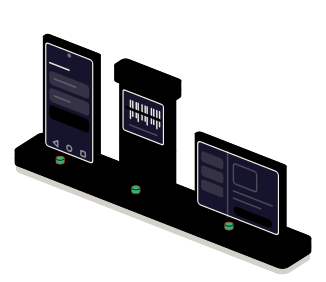
Fig. 01Device fleet stationv2.4FLEET · BACKGROUNDLooping
The console hands the same version to a phone, a warehouse handheld and a tablet. With the screens off, the background mechanism keeps sending the pending reports.

Situations

What you can solve with a native app in Kotlin

On Android the challenge is rarely the screen: it is the variety of devices, what each manufacturer does with the battery and the peripherals that have to be driven. That is where a native app brings fewer surprises.

  • An app for the devices you already have

    Phones several years old, tablets on a counter or handhelds with a built-in scanner. It is developed and tested on those models, not on the latest one out.

  • Work that doesn't wait for the app to be opened

    Uploading photos, syncing reports or recording a route with the screen off and the app in the background, respecting what the system allows so the battery is not drained.

  • Hardware that has to be driven from the app

    Code scanners, label printers, scales, card terminals or sensors, over Bluetooth, USB or NFC. Native code uses the manufacturer's own kit, with no adapters.

  • A Java app that is hard to maintain

    It works, but every change is slow and the libraries have fallen behind. Kotlin and Java live in the same project, so it is modernized in parts.

The background mechanism: it works with the screens off

What to check before starting

  • Which models and which Android versions are in use
  • What has to happen with the app closed or the screen off
  • Which peripherals are connected and with which manufacturer kit
  • How it will be installed: public store, private store or device management

Services

What we build with Kotlin

Four kinds of job. The interface is built with Jetpack Compose today; here we talk about what the app does underneath.

  • Module 1 · Charging rack

    Native apps for Android

    The whole app: data, session, navigation and the connection to your server, written in Kotlin with the libraries Google maintains. It is tested on the real models of your fleet.

    Examples of deliverables

    • Delivery app with routes
    • Warehouse inventory
    • Maintenance app with photos
  • Module 2 · Background mechanism

    Background work and sync

    Tasks that run on their own when there is network and battery, survive a restart and don't repeat if something fails halfway. With a record of what was sent and what is pending.

    Examples of deliverables

    • Photo upload when the network returns
    • Overnight sync
    • Tracking a route in progress
  • Module 3 · Peripherals

    Peripherals and dedicated devices

    Integration with scanners, printers, scales and card terminals, and apps that take over the whole device: a kiosk, a clock-in terminal or an order screen.

    Examples of deliverables

    • Bluetooth label printer
    • Handheld with built-in scanner
    • Tablet in kiosk mode
  • Module 4 · Console

    Modernization and private distribution

    Moving from Java to Kotlin in parts, adapting to each new Android version and distribution to the company's devices without going through the public store.

    Examples of deliverables

    • Migration from Java to Kotlin
    • Adapting to this year's Android
    • Private store for employees

A working example

Five photos to upload and a phone low on battery

Simulated demo on made-up data. Five photos are waiting to be sent. Schedule the upload and, while it works, turn off Wi-Fi, drain the battery, switch off the screen or restart the phone: see what the task does in each case.

Simulated demo · sample data

The phone

The task's rule

Upload the pending photos only on Wi-Fi and with enough battery. The screen doesn't count.

The report's photos

    Task log

      There is no phone behind this demo: the task and its rules are simulated in your browser. The behavior is the one programmed on Android for background work.

      Integration

      How it fits your systems

      An app in Kotlin talks to the device and its peripherals on one side and to your company on the other. In between it decides what it stores on the device and when it sends it.

      Where it comes from

      • The Android devicecamera, location, sensors
      • Peripheralsscanner, printer, card terminal
      KotlinNative app in Kotlinalso works in the background

      Where it goes

      Dependencies worth checking

      • Which battery restrictions the manufacturers of your devices apply
      • Which kit the manufacturer of each peripheral offers, and under which license
      • Whether the devices are managed by the company or belong to each employee
      • Which minimum Android version leaves out which devices

      How we work and what we deliver

      How we run a job in Kotlin

      1. 01

        Initial review

        We look at the code if there is any, the device models in use, the peripherals and how the app is installed today.

      2. 02

        Scope

        We write down the screens, what runs in the background, which peripherals come in, the minimum Android version and what stays out.

      3. 03

        First release

        A version you can install on your devices, with the main flow and one real peripheral working.

      4. 04

        Validation

        You test it on the models of the fleet and where the work happens: without coverage, low on battery and with the screen off.

      5. 05

        Documentation

        How it is built, signed and distributed, and what to check when the next Android version comes out.

      What you get when the job closes

      • The code in a repository in your name
      • The app published or distributed from your Google account
      • A guide to building, signing and distributing
      • The list of tested models and of what is left out

      Questions

      Questions about Kotlin

      Missing yours? Write it to info@veodar.com and we'll reply with a specific question, not a brochure.

      Do I need a native app, or is one for both systems enough?

      If the app is mostly screens and data, a shared codebase is usually enough. Native in Kotlin pays off when it depends on peripherals, background work or dedicated devices, which is where Android has most of its quirks. We weigh it with your case.

      Can you continue an app written in Java?

      Yes. Kotlin and Java live in the same project and call each other, so nothing has to be rewritten in one go. New work is written in Kotlin and the old code is migrated file by file, starting with what changes most.

      Why does my app stop syncing on some phones?

      Almost always because of battery saving. Android limits what an app does in the background and some manufacturers add restrictions of their own. It is solved by using the mechanism the system offers for deferred tasks and by explaining to the user the setting each brand needs.

      Does the app have to be on Google Play?

      No. For customers that is the norm, but for a team there are other ways: a private company store, installation from device management or an installable file. We prepare the one that fits how you manage your devices.

      Which Android version has to be supported?

      The one on the devices that will use it. Many Android versions are in use at the same time, so it is decided with the inventory in front of us. Work devices tend to stay on old versions and that is taken into account from the start.

      Can code be shared with the iPhone version?

      The logic, yes: Kotlin allows business rules and data access to be shared with an iOS app, leaving the interface native on each system. It doesn't always pay off; it depends on how much logic there is and on who will maintain it.

      Updated:

      Other technologies

      What it is combined with

      All technologies
      • Jetpack Compose interfacesScreens that adapt from phone to tablet and foldable, with your brand's theme. New interfaces or gradual migration from XML views.
      • Offline data with SQLiteThe app stores and queries on the phone itself and syncs when coverage returns. We design the local model, the change queue and the encryption.
      • Custom push notificationsAlerts that start in your systems and reach the right phone at the right moment, with permissions, segments and links to the screen they are about.

      Get started

      Tell us which devices you have and what they should do.

      The models your team uses and the task you want to solve are enough for a first answer.

      What helps us assess it

      • Models and Android versions in use
      • Which peripherals are connected
      • Whether earlier code exists
      • How apps are installed on those devices today

      Before you write, see how we price a project or our solutions by department.

      Fig. 07Morse keyH · E · L · L · O