Skip to content

Technology · Alerts on the device

Push notifications for your app

A push notification is an alert your system sends that appears on the phone even when the app is closed. Done well, they save calls and waiting; done badly, they get the user to turn them off. We program alerts that start from a real event in your business, reach the right person and open the screen they are about.

Often combined with

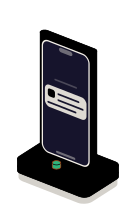
Fig. 01Notification boardAPNSFCMAUDIENCE9:419:419:41EVENT · PERMISSION · SCREENLooping
A key on the console fires the alert; it passes through Apple's and Google's relays and lights the screen of the phones that allowed it. The one that gave no permission finds it in the app's inbox.

Situations

What you can solve with push notifications

An alert pays off when someone is waiting for news and today has to go in and look, call or get an email that arrives late.

  • Customers who call to ask

    The order has shipped, the appointment has moved, the quote is ready. The alert goes out the moment the data changes in your system, without anyone having to send it.

  • A team that finds out late

    An assigned incident, a report to sign or a route that changes. The alert reaches that person's phone and opens that task directly.

  • Alerts nobody reads

    Too many, at the wrong time or the same for everyone. They are sorted into types the user can turn on separately, and their quiet hours are respected.

  • Alerts that don't arrive

    They work on some phones and not on others, or arrive hours late. The whole chain is reviewed, from the server to the device, and a record is kept of what was sent and what happened.

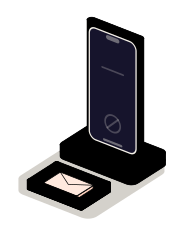
The app's inbox: where the alert waits for whoever gave no permission

What to check before starting

  • Which events in your business should send an alert, and to whom
  • In which system that event happens and how it can be detected
  • Which screen each alert should open
  • Whether alerts are service-only or also commercial, which need their own consent

Services

What we build with push notifications

Four pieces of the same chain. A new app needs the first; the value is in the other three.

  • Module 1 · Relays

    Setup on iPhone and Android

    The connection to Apple's and Google's notification services, the registration of each device and the permission request at the moment the user understands what it is for.

    Examples of deliverables

    • Setup with Apple's and Google's services
    • Permission asked in context
    • Device registration per user
  • Module 2 · Event console

    Alerts connected to your systems

    The alert is triggered by a change in your ERP, your CRM or your database, not by a person. With a template per type, just the data needed and a record of every send.

    Examples of deliverables

    • Order out for delivery
    • Appointment reminder
    • Incident assigned
  • Module 3 · Selector

    Segments, schedules and preferences

    Who gets what: by user, by group or by topic. With alert types each person turns on or mutes, quiet hours and a cap to avoid flooding.

    Examples of deliverables

    • Configurable alert types
    • Quiet hours
    • Alerts by area or by team
  • Module 4 · Phone

    Links to the screen and tracking

    Each alert opens the exact screen it talks about, with action buttons when they make sense. And it is measured: sent, handed to the service and opened.

    Examples of deliverables

    • Alert that opens the order
    • Confirm or snooze buttons
    • Report of sends and opens

A working example

An alert sent well

Simulated demo on made-up data. Pick what happened, whether the user gave permission and at what time it happens, and send it. See what happens with no permission or during quiet hours, and which screen opens when the alert is tapped.

Simulated demo · sample data

What happened

The user

When it happens

What the service decides

    No real notification is sent: the phone is drawn in your browser and asks nobody for permission. The rules it shows, permission, schedule and destination screen, are the ones programmed in an app.

    Integration

    How it fits your systems

    An alert travels a chain: it starts in your system, goes through a service of yours that decides who it is for, and from there to Apple or Google, who are the ones that deliver it to the device.

    Where it comes from

    • Your ERP or CRMthe event that alerts
    • User preferencestypes and schedules
    Push notificationsNotification servicepicks recipient, template and moment

    Where it goes

    • Apple and Googledelivery to the device
    • Inbox inside the appfor those who gave no permission

    Dependencies worth checking

    • Whether your system can announce a change or has to be polled every so often
    • Which data must not appear on a locked screen
    • What happens to an alert if the phone is off for several days
    • Who handles data protection and which consent each type of alert needs

    How we work and what we deliver

    How we run a notifications job

    1. 01

      Initial review

      We look at which events should alert, in which system they happen, how the app is built and which alerts it sends today.

    2. 02

      Scope

      We write the list of alerts: what triggers each, who it goes to, what it says, which screen it opens and when it must not be sent.

    3. 03

      First release

      The first complete alert, from your system to the phone, on real devices of both systems.

    4. 04

      Validation

      You test it with permissions granted and denied, with the app open and closed, and outside hours.

    5. 05

      Documentation

      The list of alerts with their rules, how to add a new one and where to look if one fails to arrive.

    What you get when the job closes

    • The notification service and the app code in your repository
    • The list of alerts with their rules and templates
    • The send log and where to consult it
    • The list of what is left out, and why

    Questions

    Questions about Push notifications

    Missing yours? Write it to info@veodar.com and we'll reply with a specific question, not a brochure.

    Can delivery of an alert be assured?

    No, and it is better to know from the start. Apple and Google deliver alerts as best they can, but a phone that is off, without network or in battery saving may get it late or not at all. That is why what matters must not depend on the alert alone: it also stays inside the app.

    What if the user doesn't give permission?

    The app keeps working and the alerts stay in an inbox inside it. On iPhone the system only asks once, so permission is requested when the user understands what it is for: on placing their first order, not on opening the app for the first time.

    Is a third-party service needed to send them?

    Apple's and Google's services are mandatory: they are the only ones that can deliver an alert to their devices. On top of them you can use a platform that simplifies sending or a service of your own; it depends on the volume and on how much control you need.

    Can I send promotions by push?

    Technically yes, but it is not the same as a service alert. The stores require that the user can turn them off, and commercial communications usually need a consent of their own. We separate them into different types and review it with whoever handles data protection in your company.

    Which data can an alert carry?

    Little, and nothing sensitive. An alert shows on the locked screen and has a very limited size. Normally it carries one sentence and a reference, and the detail loads when the app opens, already inside the user's session.

    Do they work for a website too?

    Yes, browsers accept notifications from websites, on iPhone too when the site is installed on the home screen. They have more limits than an app's, so it is worth weighing whether they really replace an email or a text message in your case.

    Updated:

    Other technologies

    What it is combined with

    All technologies
    • Expo app developmentCloud builds, store publishing and updates that do not wait for a new version. We set up the project or migrate the one you already have.
    • Node.js backendAPIs, connections between systems and background processes. We automate the exchange of information between your website and your business tools.
    • iOS app development in SwiftNative apps for iPhone and iPad that make full use of the camera, NFC, biometrics or the watch. We build them, maintain them and publish them with you.

    Get started

    Tell us what your app should alert about.

    Two or three events that today force someone to call or go in and look are enough for a first answer.

    What helps us assess it

    • Which events should alert, and whom
    • In which system they happen
    • What the app is built with
    • Which alerts it sends today, if any

    Before you write, see how we price a project or our solutions by department.

    Fig. 07Morse keyH · E · L · L · O