Skip to content

Technology · On-device database

Apps that work offline with SQLite

SQLite is a complete database that lives inside the app itself, in a file on the device. With it the app stores, searches and calculates without depending on coverage, and sends the changes when the connection returns. We design that local data model, the sync with your server and what it takes for nothing to get lost on the way.

Often combined with

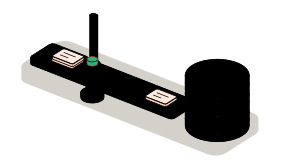
Fig. 01Data drawersREPORTSPHOTOSCUSTOMERSReport 0142CUSTOMERSSAVE · SEARCH · SYNCLooping
The report is first noted in the journal and then stored in its drawer, inside the phone itself. When the connection returns, the barrier lifts and the pending changes cross to the office.

Situations

What you can solve with a database on the device

Storing on the device pays off when work can't stop because the network fails: in a basement, in a warehouse, in the field or on a plane.

  • An app that goes blank without coverage

    Today every screen asks the server for its data and, with no network, there is no app. With the data on the device the work goes on and is sent later.

  • Changes that get lost or duplicated

    Two people edit the same thing, or a send is cut off halfway. Each change is noted in a queue with its order and applied only once, with a clear rule for conflicts.

  • Long lists that take time to appear

    Catalogs, customers or histories that are downloaded every time today. Stored on the device, with their indexes, they are searched at once and without using data.

  • Sensitive information on a phone

    Customer data, signatures or photos that must not stay readable if the device is lost. The database is encrypted and the key is kept where the system protects it.

The journal: every change is noted before it counts as saved

What to check before starting

  • Which data is needed offline and how much space it takes
  • Who can change the same record and what happens if two do it at once
  • Which API your server offers to receive changes and return its own
  • Which data is sensitive and how long it should stay on the device

Services

What we build with SQLite

Four kinds of job. The first two are almost always one: storing on the device forces a decision on how it syncs.

  • Module 1 · Drawers

    Local data model

    The tables the app needs to work alone: what is downloaded, what is created on the device and how it relates. With writes that complete in full or not at all.

    Examples of deliverables

    • Work reports without coverage
    • Catalog downloaded for lookup
    • Drafts that are not lost
  • Module 2 · Barrier

    Sync with your server

    A queue of pending changes that goes out when there is network, retries if it fails and doesn't duplicate. And a written rule for conflicts: who wins, or when a person is asked.

    Examples of deliverables

    • Change queue with retries
    • Field-by-field conflict rule
    • Download of only what changed
  • Module 3 · Index

    Search and queries on the device

    Indexes so long lists answer at once, text search inside the records and the calculations asked of the server today, done on the device itself.

    Examples of deliverables

    • Offline customer search
    • Totals calculated on the device
    • Filter over thousands of items
  • Module 4 · Lock

    Encryption, migrations and backups

    The database encrypted, structure changes between app versions without losing what is stored, and a way to recover the data if a device fails before syncing.

    Examples of deliverables

    • Encrypted database
    • Structure change between versions
    • Export of pending data

A working example

Three reports without coverage

Working example on made-up data. Turn coverage off, close a report and add another: they are saved on the phone and wait in the queue. Turn it back on and watch them leave, and what happens when the office has touched the same report.

Working example · sample data

Connection

The office, meanwhile

Rule on a conflict

Change queue

    On the phone (SQLite)

    ReportStatusSent

    At the office (simulated)

    ReportStatus

    This example's database lives in your browser's memory and the office is simulated: nothing is sent. The order of the operations, the queue and the conflict rule are the ones programmed in a real app.

    Integration

    How it fits your systems

    The database on the device doesn't replace your company's: it is a working copy of the part each person needs. The truth still lives on your server.

    Where it comes from

    • What is created on the devicereports, photos, signatures
    SQLiteSQLite on the devicestores, searches and queues

    Where it goes

    • Sync queuepending changes
    • Your ERP or CRMconfirmed records
    • Local searchresults at once

    Dependencies worth checking

    • Whether your API can return only what changed since a given date
    • How much space the data and the photos take on the device
    • What happens to local data on sign-out or when the user changes
    • What data protection requires about what is stored on the device

    How we work and what we deliver

    How we run a job with SQLite

    1. 01

      Initial review

      We look at which data the app handles, where it comes from, who changes it and what fails today when there is no network.

    2. 02

      Scope

      We write down what is stored on the device, how it syncs, which rule settles conflicts and what stays out.

    3. 03

      First release

      The main flow working offline on your devices, with the change queue in view.

    4. 04

      Validation

      You test it in airplane mode, with cuts in the middle of a send and with two people changing the same record.

    5. 05

      Documentation

      The data model, the conflict rule, how it migrates between versions and how data is recovered from a device.

    What you get when the job closes

    • The code of the data layer in your repository
    • The database schema and its migrations
    • The conflict rule, written and tested
    • The list of what is left out, and why

    Questions

    Questions about SQLite

    Missing yours? Write it to info@veodar.com and we'll reply with a specific question, not a brochure.

    Is SQLite a real database or a cut-down version?

    It is a complete relational database, with SQL queries, transactions and indexes. What sets it apart is that it needs no server: it is a library inside the app and a file on the device. That is why it is the one iPhone and Android themselves use inside.

    Is sync included?

    No. SQLite stores and queries; sending changes to your server and receiving its own has to be designed. It is the part that needs most care and the one that decides whether an offline app can be trusted, so it is defined and tested before the screens.

    What happens if two people change the same record offline?

    It depends on the rule that was written, and you decide that rule with us: the last change wins, the office wins, fields are merged one by one or the app asks. What can't happen is that one of the two changes disappears without anyone knowing.

    Is the data safe if the phone is lost?

    If the database is encrypted and the key is kept in the system's protected store, what is saved can't be read without unlocking the device. We also decide which data should not stay on the device longer than needed.

    How much data can it hold?

    Far more than an app usually needs: the practical limit is the free space on the device, not SQLite. What is worth limiting is what gets downloaded, because there is no point carrying on the phone what that person won't use.

    Does it work with any app technology?

    Yes. There are mature libraries for React Native, for Swift and for Kotlin, and it is also the usual database in desktop applications. The data model and the sync rule are designed the same way; what changes is the library that runs them.

    Updated:

    Other technologies

    What it is combined with

    All technologies
    • React Native app developmentOne codebase for iPhone and Android, with native modules where they are needed. We build new apps and continue the ones you already have.
    • Android app development in KotlinNative apps for the device fleet you have: phones, tablets and rugged work devices, with background tasks and peripherals.
    • Node.js backendAPIs, connections between systems and background processes. We automate the exchange of information between your website and your business tools.

    Get started

    Tell us where your app runs out of coverage.

    Knowing which work stops when the network fails and which data is involved is enough for a first answer.

    What helps us assess it

    • What must be possible offline
    • Which data is involved and who changes it
    • Which API your server has
    • Which technology the app is built with

    Before you write, see how we price a project or our solutions by department.

    Fig. 07Morse keyH · E · L · L · O