
Skip to content

Technology · Platform for React Native

App development with Expo

Expo is the platform a React Native app is started, built and published with today. It takes the most thankless part of an app out of the way, certificates, builds and store submissions, and lets you fix a bug without waiting for a new version. We set up the project with Expo or migrate the one you already have.

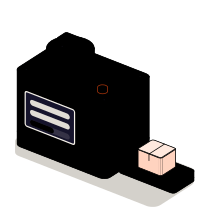
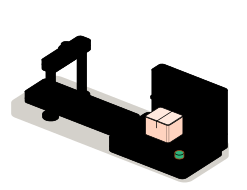
Fig. 01Shipping dockTESTBUILD · PUBLISH · UPDATEMy appv1.4.0Looping
The version leaves the build machine and goes past the store counter before it reaches the phone. A small fix takes the direct line and arrives when the app is opened.

Situations

What you can solve with Expo

Expo doesn't change what the app does, but what it costs to ship and maintain it. It pays off when publishing a version is a manual job today that depends on one person and their computer.

  • Publishing stops depending on one computer

    The app is built and signed in the cloud, the same way every time, from the repository. Nobody has to keep certificates on a laptop or remember the steps.

  • A typo doesn't wait for the store

    A text, a calculation or a screen that fails is fixed with an update the phone downloads when the app is opened, without a new store version.

  • Testing before publishing

    Every change can be installed on the team's phones with a link or a code, to see it work before it reaches anyone else.

  • A React Native app that is hard to upgrade

    Projects with hand-edited native folders that nobody dares to upgrade. With Expo that part is generated from the configuration and stops being a brake.

The switch: past the store counter or down the direct line

What to check before starting

  • Whether the app is new or already exists, and on which React Native version
  • Which native libraries it uses and whether Expo supports them
  • Who manages the Apple and Google accounts and their certificates
  • Which changes must be able to arrive without publishing a new version

Services

What we build with Expo

Four pieces of the same journey: from the code to the phone. They can be commissioned together, or only the one holding you back today.

  • Module 1 · Test phone

    New apps with Expo

    The project set up with the current structure: file-based navigation, access to camera, location and notifications through Expo's modules, and test versions you can install from the start.

    Examples of deliverables

    • New app for iPhone and Android
    • Migration from React Native to Expo
    • Test version by link
  • Module 2 · Build machine

    Cloud builds and signing

    Build profiles for testing and for production, certificates and keys kept in the service and not on a laptop, and a new build with every version of the repository.

    Examples of deliverables

    • Test and production profiles
    • Managed Apple certificates
    • Automatic build on tagging
  • Module 3 · Counter

    Publishing to the stores

    Submission to the App Store and Google Play with the same command, with the listings, screenshots and review answers prepared. The app goes out from your accounts.

    Examples of deliverables

    • First publication
    • Testing with TestFlight
    • Answer to a review rejection
  • Module 4 · Direct line

    Updates that skip the store

    Update channels for testing and for production, staged rollout and rollback if something fails. It covers what doesn't touch native code; the rest still goes through the store.

    Examples of deliverables

    • Urgent fix to a text
    • Rollout to part of the users
    • Return to the previous version

A working example

One change, two ways to the phone

Simulated demo on made-up data. Pick what changed in the app and follow it: some things arrive when the app is opened and others need a new version and a trip through store review.

Simulated demo · sample data

What changed in the app?

Direct update

  1. Bundle the code
  2. Production channel
  3. The phone downloads it on opening

New version on the store

  1. Build in the cloud
  2. Sign
  3. Store review
  4. The user updates

Log

    There is no store and no phone behind this demo: the journey is simulated in your browser. The rule it shows is the real one: what touches native code goes through the store.

    Integration

    How it fits your systems

    Expo sits between your code and the phones. On one side are the repository and the developer accounts; on the other, the stores and the users.

    Where it comes from

    • The repositoryeach tagged version
    • Apple and Google accountscertificates and keys
    ExpoExpo projectbuilds, signs and delivers

    Where it goes

    • App Store and Google Playreviewed versions
    • The team's phonestest versions
    • Usersupdates on opening

    Dependencies worth checking

    • Whether any native library needs a build of its own
    • Where continuous integration runs today, if there is any
    • Which plan of the build service your release pace calls for
    • What the stores allow to be updated without going through review

    How we work and what we deliver

    How we run a job with Expo

    1. 01

      Initial review

      We look at the project and its native dependencies, the store accounts and how a version is published today.

    2. 02

      Scope

      We write down what gets set up: build profiles, update channels and what stays out. If something doesn't fit Expo, we say so.

    3. 03

      First release

      A test version built in the cloud and installed on your phones, with its update channel working.

    4. 04

      Validation

      You publish an update and a test version following the guide, without us in the room. If a step is unclear, the guide gets fixed.

    5. 05

      Documentation

      How to build, publish, update and roll back, and where the credentials are kept.

    What you get when the job closes

    • The project configured in a repository in your name
    • The credentials in your accounts, not ours
    • A guide to publishing and updating
    • The list of what is left out, and why

    Questions

    Questions about Expo

    Missing yours? Write it to info@veodar.com and we'll reply with a specific question, not a brochure.

    Does Expo limit what the app can do?

    Not anymore. Years ago it meant giving up native code; today an Expo project accepts any native library and your own modules in Swift or Kotlin. What changes is that this part is generated from the configuration instead of being edited by hand.

    What can be updated without publishing a new version?

    The JavaScript code and the assets: texts, screens, calculations, images. Anything that adds native code, a new permission or a library for example, needs a new version and store review. The stores also don't allow the purpose of the app to be changed this way.

    Is a Mac needed to publish for iPhone?

    Not to build: that happens in the cloud. What is needed is an Apple developer account in your company's name, which is the one that signs and publishes the app.

    Can you migrate an already published React Native app to Expo?

    In most cases yes, and in parts. First Expo's modules are brought in; then, if it pays off, cloud builds and updates. Before that we review the native libraries it uses, which is where obstacles can appear.

    Do we depend on a paid service?

    The framework is open source and the app can also be built on your own machines. Cloud builds and updates are a separate service with its own plans; we explain which one your release pace calls for before setting it up.

    What if an update goes wrong?

    You go back to the previous one with a command and the phones receive it when the app is opened. That is why updates go to a test channel first and, if wanted, to part of the users before everyone.

    Updated:

    Other technologies

    What it is combined with

    All technologies
    • React Native app developmentOne codebase for iPhone and Android, with native modules where they are needed. We build new apps and continue the ones you already have.
    • Custom push notificationsAlerts that start in your systems and reach the right phone at the right moment, with permissions, segments and links to the screen they are about.
    • Node.js backendAPIs, connections between systems and background processes. We automate the exchange of information between your website and your business tools.

    Get started

    Tell us how you publish your app today.

    If shipping a version costs you more than it should, knowing how you do it now is enough for a first answer.

    What helps us assess it

    • Whether the app is new or already exists
    • How it is built and published today
    • Which native libraries it uses
    • Who holds the store accounts

    Before you write, see how we price a project or our solutions by department.

    Fig. 07Morse keyH · E · L · L · O