Skip to content

Technology · Apple's native language

iOS app development in Swift

Swift is Apple's language for writing native apps for iPhone, iPad, Mac and Apple Watch. It is the choice when the app needs everything the device offers, camera, NFC, biometrics, health or the watch, or when it already exists and has to be continued. We build, maintain and publish apps in Swift.

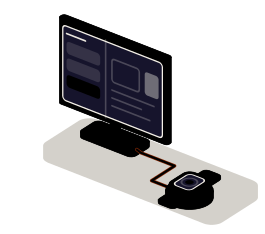
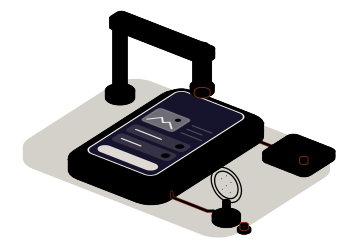
Fig. 01Device test bench9:41Inspection 27CAMERA · NFC · BIOMETRICSLooping
The probes test the phone's camera, NFC tag and face recognition; what the app saves also shows up on the tablet and on the watch.

Situations

What you can solve with a native app in Swift

A native app pays off when what matters is not being everywhere, but doing very well something that depends on the device or on Apple's system.

  • An app that lives off the device

    Reading NFC tags, video, Bluetooth sensors, health data or background location. In Swift each feature is used the way Apple offers it, without waiting for anyone to adapt it.

  • An iPhone app that has to be continued

    Code in Swift or Objective-C that someone left half done, with an old iOS version as its minimum. It is brought up to date in parts and keeps being published.

  • iPad, watch and phone on the same data

    The tablet on the counter, the watch on the technician's wrist and the phone in a pocket share data and rules, each with its own screen.

  • An app only for your team

    It doesn't have to be on the public store: Apple allows private apps to be distributed to a company's devices. We prepare the app and also the way to hand it out.

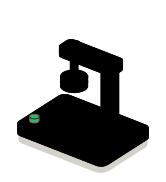
The cradle: the phone with its probes connected

What to check before starting

  • Which minimum iOS version the devices that will use it have
  • Which device features it needs and which permissions it will ask the user for
  • Whether earlier code exists, and whether it is in Swift or Objective-C
  • Whether the app goes to the public store or only to company devices

Services

What we build with Swift

Four kinds of job. The interface is almost always built with SwiftUI today; here we talk about what is underneath.

  • Module 1 · Cradle

    Native apps for iPhone and iPad

    The whole app: data, session, navigation and the connection to your server, written in Swift with Apple's libraries. It works on phone and tablet, with the screen designed for each.

    Examples of deliverables

    • Inspection app with photos
    • Point of sale on iPad
    • Members app with a pass
  • Module 2 · Probes

    Hardware and system services

    Camera and code scanning, NFC, Bluetooth, location, biometrics, in-app payments and health data, each with its permission well explained and another way through if the user says no.

    Examples of deliverables

    • Reading NFC tags
    • Sign-in with Face ID
    • Bluetooth sensor
  • Module 3 · Family

    Watch, widgets and tablet

    Extensions that take the app beyond its icon: an Apple Watch app, home screen widgets, system shortcuts and an iPad version that uses the screen.

    Examples of deliverables

    • Apple Watch app
    • Widget with the day's status
    • Two-column iPad version
  • Module 4 · Seal

    Maintenance, signing and publishing

    Moving from Objective-C to Swift in parts, adapting to each new iOS version, fixing crashes and the whole store procedure: certificates, TestFlight testing and review.

    Examples of deliverables

    • Migration from Objective-C
    • Adapting to this year's iOS
    • Private distribution to employees

A working example

What the app does when it is told no

Simulated demo on made-up data. The app asks for permission for location and for face recognition, the way an iPhone would. Answer in each of the possible ways and see how it adapts every time.

Simulated demo · sample data

What the app knows now

Location
Signature

Why it matters

A denied permission is not an error: it is an answer. The app has to stay useful with it, and say how to change it without nagging.

None of this accesses your location or your camera: the prompts are drawn in your browser. What it shows is a real design decision: every denied permission needs its own way through.

Integration

How it fits your systems

An app in Swift talks to the device on one side and to your company on the other. What it stores on the phone and what it sends to your server is decided before the first screen is drawn.

Where it comes from

  • The iPhone or iPadcamera, NFC, biometrics, sensors
  • The system keychainencrypted credentials
SwiftNative app in Swiftuses the device in full

Where it goes

Dependencies worth checking

  • What Apple requires for each permission and which text the user will see
  • Whether the app needs to work in the background and how much the system allows
  • How it is distributed: public store, private link or device management
  • Which iOS version leaves out which part of your users

How we work and what we deliver

How we run a job in Swift

  1. 01

    Initial review

    We look at the code if there is any, the devices that will use it, the device features it needs and the developer account.

  2. 02

    Scope

    We write down the screens, the permissions it will ask for and why, the minimum iOS version and what stays out.

  3. 03

    First release

    A version you can install through TestFlight on your devices, with the main flow and the real permissions.

  4. 04

    Validation

    You test it on the device and in the place where it will be used, also denying permissions and without coverage.

  5. 05

    Documentation

    How it is built, signed and published, and what to check when the next iOS version comes out.

What you get when the job closes

  • The code in a repository in your name
  • The app published or distributed from your Apple account
  • A guide to building, signing and publishing
  • The list of what is left out, and why

Questions

Questions about Swift

Missing yours? Write it to info@veodar.com and we'll reply with a specific question, not a brochure.

Do I need a native app, or is one for both systems enough?

If the app is mostly screens and data, a single codebase for iPhone and Android is usually enough. Native in Swift pays off when it depends on features very specific to Apple, on the watch or on performance that tolerates no go-between. We weigh it with your case in front of us.

Can you continue an app written in Objective-C?

Yes. Swift and Objective-C live together in the same project, so there is no need to rewrite it in one go: new work is written in Swift and the old code is migrated in parts, starting with what is touched most.

Which iOS version has to be supported?

The one your users' devices have. Every old version supported rules out part of what is new, so it is decided with data: which devices exist and when they are replaced. It is written into the scope.

Does the app have to be on the App Store?

Not always. If it is for customers, yes. If it is for your team, Apple offers ways to distribute it only to the company's devices, without it appearing on the public store. We prepare whichever applies.

Who owns the app on the store?

Your company. The app is published from your Apple developer account and the code sits in a repository in your name. If you don't have an account yet, we walk you through setting it up.

Does Swift work for Mac too?

Yes. A good part of the code of an iPhone app can be reused in a Mac app, and the interface adapts. If what you need is a desktop application for several systems, there are other options, which we explain on that service.

Updated:

Other technologies

What it is combined with

All technologies
  • SwiftUI interfacesScreens, your own components and widgets for iPhone, iPad and watch. We build new interfaces or migrate the UIKit ones screen by screen.
  • Offline data with SQLiteThe app stores and queries on the phone itself and syncs when coverage returns. We design the local model, the change queue and the encryption.
  • Custom push notificationsAlerts that start in your systems and reach the right phone at the right moment, with permissions, segments and links to the screen they are about.

Get started

Tell us what your app should do on the iPhone.

Knowing which device features it needs and who will use it is enough for a first answer.

What helps us assess it

  • What it should do and with which device features
  • Which devices and iOS versions there are
  • Whether earlier code exists
  • Whether it goes to the store or only to your team

Before you write, see how we price a project or our solutions by department.

Fig. 07Morse keyH · E · L · L · O